Flyer Maker, Poster Maker
DesignWiz AppsArt & Design
4.814.16K Reviews
- Version
- 197.0
- Installs
- 10.00M
- Age Rating
- Everyone
Screenshots
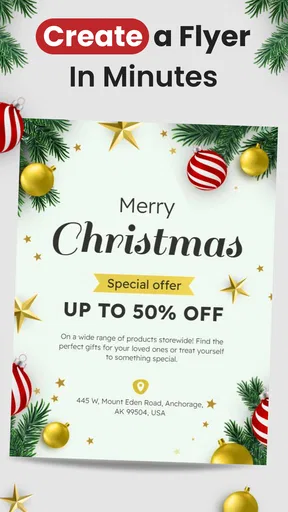

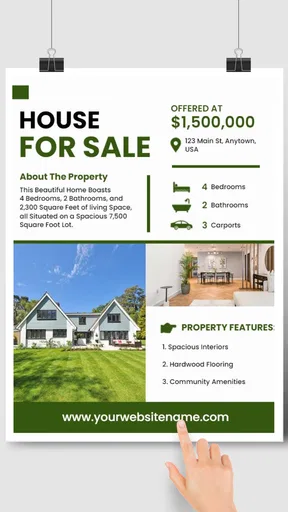
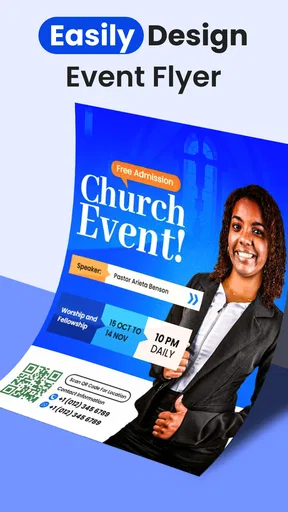
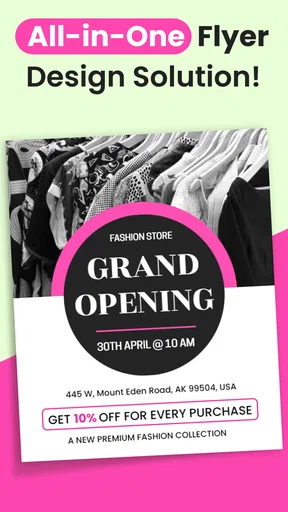
Our Review of Flyer Maker, Poster Maker
 Analysis by Appyee
Have you ever wanted to design something stunning but felt limited by your lack of design skills? Well, let me introduce you to Flyer Maker, Poster Maker. This app is like having a pocket-sized graphic designer that empowers you to create eye-catching posters, flyers, and social media posts without breaking a sweat.
The first few sessions are appealing because the path from idea to something presentable feels direct: choose a starting design, make it your own, and move on to sharing or printing. I find that especially useful when a small project has a real deadline, but not enough importance to justify learning a full desktop design suite. The app is free to start, while in-app purchases range from $2.99 to $99.99 per item, so I would treat any paid choice as something to consider only after I know it fits my routine.
Useful for quick, specific jobs
A realistic example is a neighborhood bake sale where someone needs a clear poster by the evening. I would start with a template, replace the wording with the event details, add a photo of the baked goods, and check that the time and location stand out before exporting. That workflow is more practical than beginning with a blank canvas when the goal is simply to communicate information attractively. It also suits a club announcement, a small-business promotion, or a social post that needs a consistent visual style.
For repeat work, I would keep the basic information and visual choices consistent rather than redesigning from scratch each time. Reusing saved colors and fonts can help make separate pieces feel related; I would still check each design carefully, since a saved style does not guarantee that the text hierarchy or image crop works for a new message. That small review is worth doing before printing, when a mistake is more inconvenient to fix.
Unleashing Your Creativity
When I first opened Flyer Maker, Poster Maker, I was blown away by how intuitive it was. The interface is super user-friendly, with everything laid out logically. You don't need to be a tech wizard to get started. Just select a template, and you're off to the races.
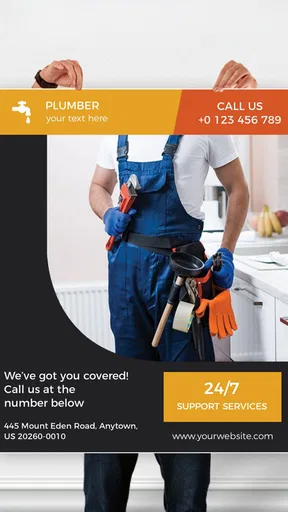
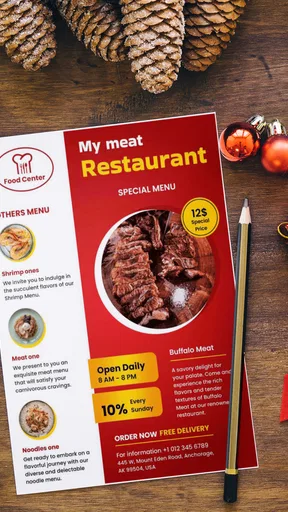
The app offers a vast array of templates that cater to different needs. Whether you're designing for a business event, a party, or just a fun social media post, there's something here for everyone. The templates are easily customizable, allowing you to tweak colors, fonts, and images to suit your vibe.
Features Worth Highlighting
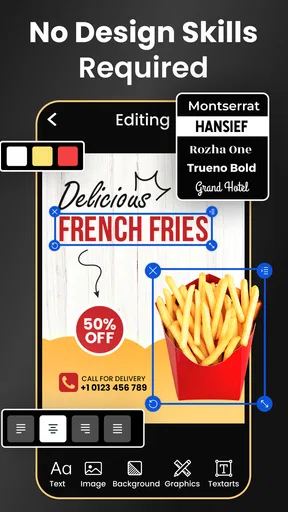
One of my favorite things about this app is the range of design elements it provides. We're talking stickers, shapes, icons, and more. You can layer these elements to create complex, professional-looking designs without needing a degree in graphic design. The drag-and-drop functionality is smooth as butter, making the whole experience pretty seamless.
Another cool feature is the ability to import your own images. So, if you have a specific photo or logo you want to incorporate, it's as easy as pie. Plus, the app supports high-resolution exports, ensuring your designs look crisp and polished when you print them or share them online.
One practical trade-off with a template-led editor is that a polished starting point can tempt you to add too much. I get better results by choosing one main image, keeping the headline readable, and removing decorative items that compete with the message. When importing a logo or photo, I also check its edges and placement against the background; an image that looks fine in a small preview may feel crowded once the design is viewed at its intended size.
The Editing Power
The editing tools in Flyer Maker, Poster Maker are robust enough to handle most tasks. You can adjust everything from text alignment to color gradients, making it easy to bring your creative vision to life. The app also offers a nifty undo button, which is a lifesaver when you're trying out different design ideas.
For those who like to keep their designs on-brand, the app allows you to save your favorite colors and fonts. This is a huge time-saver, especially if you're working on multiple projects at once.
Sharing Your Creations
Once you're happy with your design, sharing it is a breeze. The app lets you export your creations in various formats, including PDF and JPG. You can also share directly to social media platforms, which is perfect for getting your work out there quickly.
Printing is also straightforward, thanks to the app's high-resolution export options. Whether you're printing at home or sending your design to a professional printer, you can be confident that it will look fantastic.
How it fits into a regular routine
What matters after the first burst of enthusiasm is whether I have another reason to open the app next week. For occasional announcements, invitations, and promotions, a focused flyer maker can earn that space because the same basic workflow applies each time. I would not expect it to replace a dedicated design program for complex branding work, precise print layouts, or projects that need careful control over every detail. Those jobs benefit from tools built for a larger screen and a more involved production process.
Compared with starting in a general drawing or image-editing app, a template-based approach gives me a quicker route to a finished poster and more structure for arranging text and images. The trade-off is creative freedom: a template can steer a design toward familiar layouts, and extensive customization may take more patience than a simple announcement needs. If I want a one-off graphic with unusual dimensions or a very distinctive visual concept, I would consider a broader design tool instead of forcing the idea into a ready-made format.
For a small business or community group, the habit that makes this useful is keeping a simple set of recurring choices: a couple of colors, readable type, and a preferred logo placement. I would still adapt the layout to each message rather than treating one saved look as a universal answer. A sale notice, a class schedule, and a celebration poster have different priorities, even if they share a visual identity.
Maintenance, limits, and lasting value
The maintenance burden is modest when I use the app for occasional pieces, but repeated use still asks for judgment. I need to update old dates and wording, make sure a new image suits the layout, and proofread every line before sharing. A saved color or font can speed up the visual setup; it cannot catch an outdated address or a typo. For a recurring event, I would keep a checklist of details to verify each time so that familiarity does not make me overlook a change.
There are also reasons not to keep it installed. Someone who rarely makes posters may get little lasting value from a dedicated editor, while a designer who needs fine-grained control may find template-first work restrictive. If I were preparing a high-stakes print campaign, I would test the exported file with the intended printer before relying on it, rather than assuming that an on-screen preview settles every production detail. For a casual social post or a neighborhood notice, that extra production process may be unnecessary.
The app is free, and its Everyone age rating makes it suitable for a broad audience. It is developed by Apps You Love, has been available since February 18, 2018, and its current version is 170.0, with Android 8.0 as the minimum operating system. Its 4.7 average from around 374,000 ratings, roughly 14,000 written reviews, and over 10 million installs suggest that it has reached many people, though popularity alone would not tell me whether its workflow suits my own needs.
Before settling into it, I would ask myself whether I can get the format and finish I need, whether I am comfortable using a template as a starting point, and whether any paid item is worth its cost for the projects I actually make. I would also do a small test export before committing to a print run. Those checks answer the useful practical questions without turning a quick creative task into a much larger project.
Final Thoughts
All in all, Flyer Maker, Poster Maker is a fantastic tool for anyone looking to create professional-quality designs without the fuss. Its ease of use, combined with a rich set of features, makes it a must-have app for both personal and business projects.
If you've ever found yourself stuck with last-minute design tasks or just want to unleash your creative side, give this app a try. It's fun, functional, and incredibly empowering. Now, go ahead and let your creativity fly!
Verdict
Strengths of Flyer Maker, Poster Maker
- User-friendly interface makes design easy.
- Wide variety of templates available.
- Customizable fonts and colors.
- Fast export to social media platforms.
- No design skills required.
Limitations of Flyer Maker, Poster Maker
- Some features require in-app purchases.
- Limited free templates.
- Occasional app crashes.
- Ads can be intrusive.
- Requires internet for full functionality.
Other Releases by DesignWiz Apps
View All
AI Logo Generator, Logo Maker
Art & Design4.8
Similar Picks in This Category
View All
Canva: AI Photo & Video Editor
Canva4.8

PENUP – Drawing-sharing SNS
Samsung Electronics Co., Ltd.4.5

Crafto
Kutumb App4.6

Sketchbook
Sketchbook4.1

ibis Paint X
ibis inc.4.5

Adobe Express: AI Photo, Video
Adobe4.6
Frequently Asked Questions
What features does Flyer Maker, Poster Maker offer?
Flyer Maker, Poster Maker provides an extensive array of templates for creating professional-looking flyers and posters. Users can customize text, images, and colors to suit their needs. The app also includes a variety of fonts, stickers, and backgrounds, allowing for endless creativity. Additionally, it supports high-resolution exports for printing or sharing online.
Is Flyer Maker, Poster Maker suitable for beginners?
Yes, the app is designed with user-friendliness in mind, making it suitable for beginners and professionals alike. The intuitive interface guides users through the design process, while the drag-and-drop functionality simplifies customization. Tutorials and tips are also available within the app to help new users get started quickly.
Are there any costs associated with using Flyer Maker, Poster Maker?
Flyer Maker, Poster Maker is free to download and use, offering a variety of basic templates and features at no cost. However, for access to premium templates, additional design elements, and an ad-free experience, users can opt for in-app purchases or a subscription plan, which provides enhanced functionality.
Can I use my own images and fonts in the app?
Yes, Flyer Maker, Poster Maker allows users to import their own images and fonts into their designs. This feature provides greater personalization and helps users create unique flyers and posters that align with their specific branding or style requirements. The app supports a wide range of file formats for easy integration.
Is Flyer Maker, Poster Maker available on both Android and iOS?
Flyer Maker, Poster Maker is available for download on both Android and iOS platforms. Users can find the app on Google Play Store and Apple App Store, ensuring compatibility with a wide range of devices. Regular updates are provided to enhance performance and introduce new features across both operating systems.
